https://learn.microsoft.com/en-us/azure/active-directory/fundamentals/create-new-tenant
where not specified, your current user with appropriate permissions should be used when creating resources
Step | Portal | Docs | Image | |
|---|---|---|---|---|
create a new tenant |  | | ||
create a new management account | create a user called | |  | |
create a new service principal |
| | | |
Step | Portal | Docs | Image | |
|---|---|---|---|---|
 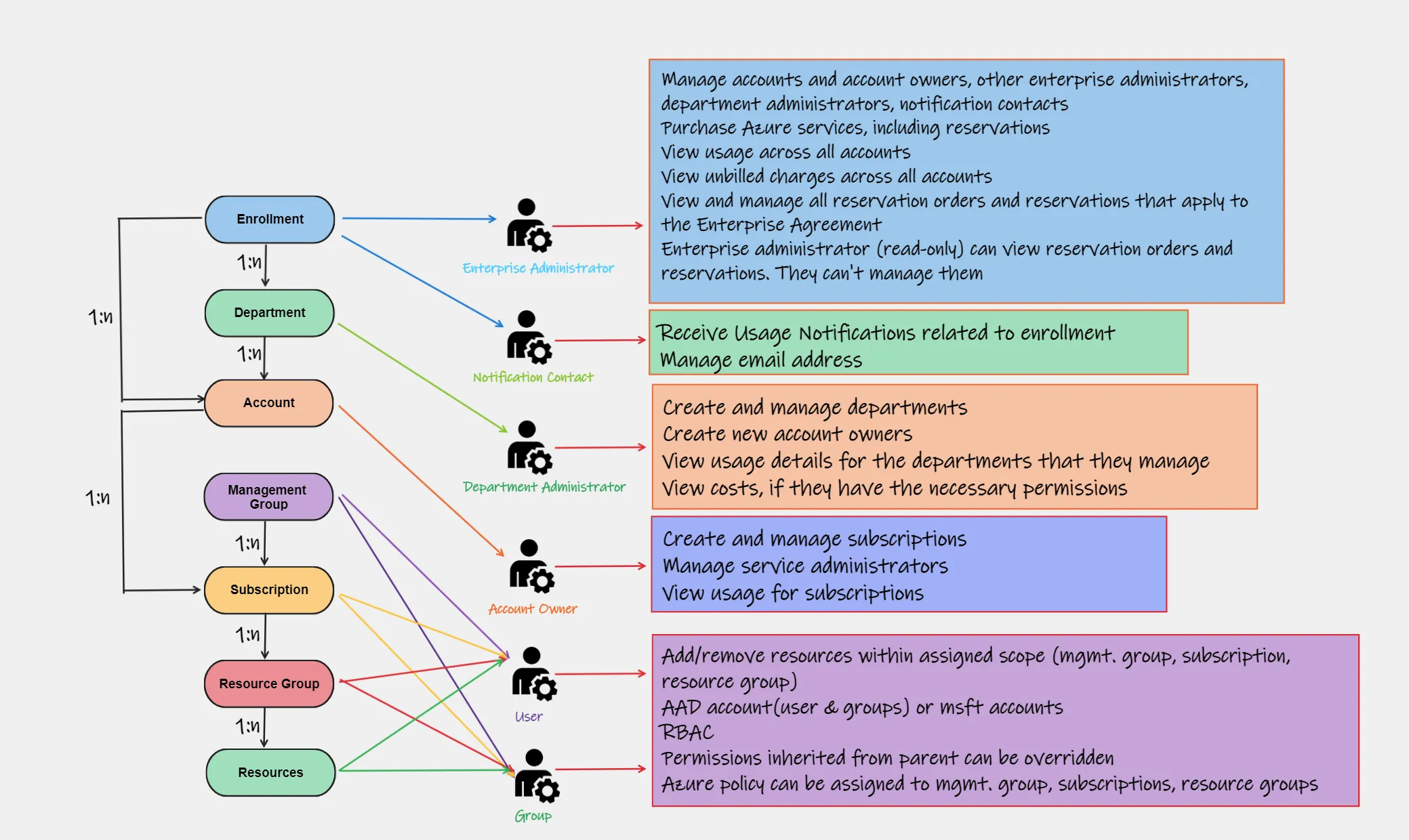 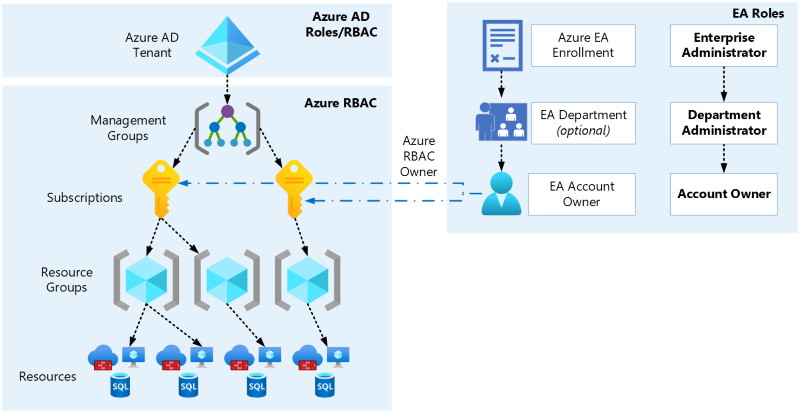 | ||||
As a Billing Administrator | ||||
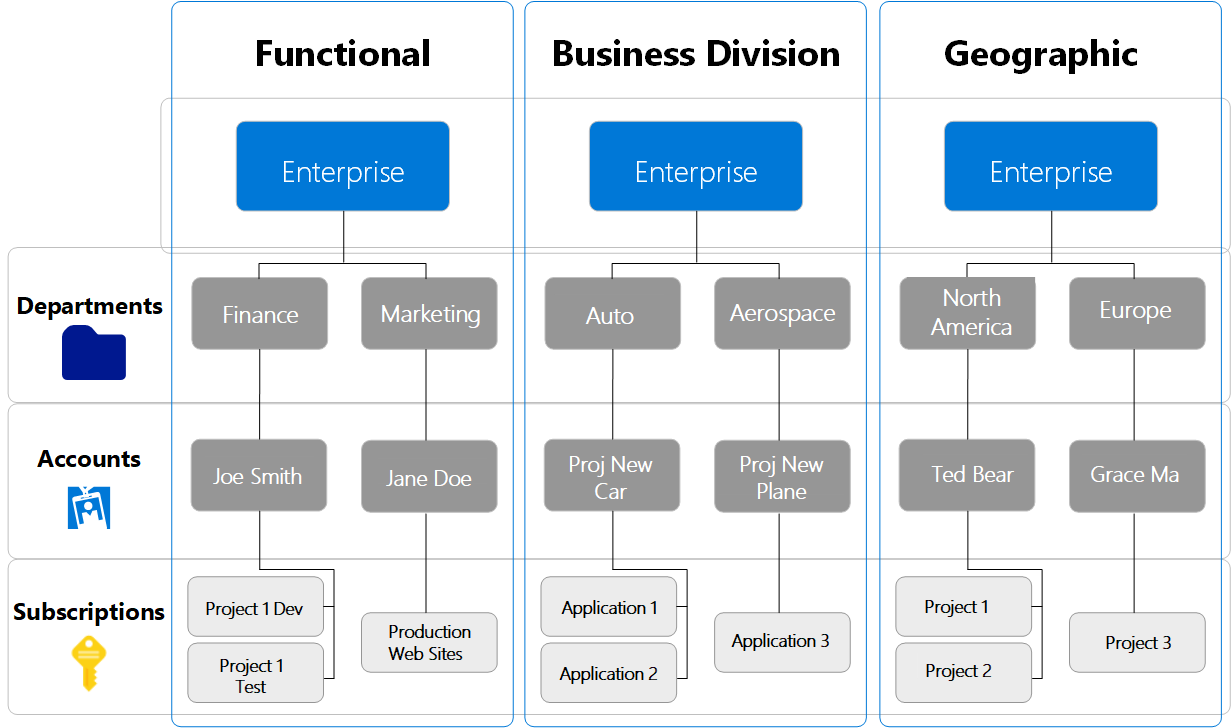
Create a new Department (optional) | | | 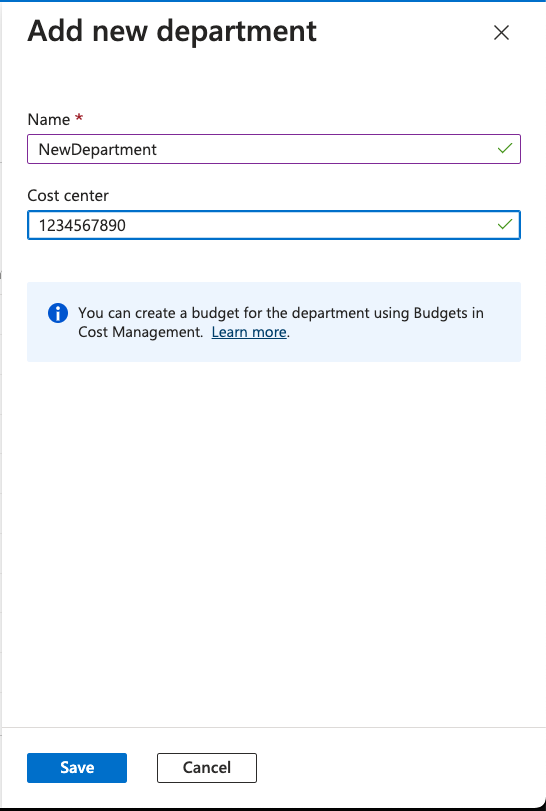 | |
Create a new (enrolment) Account |
| | | 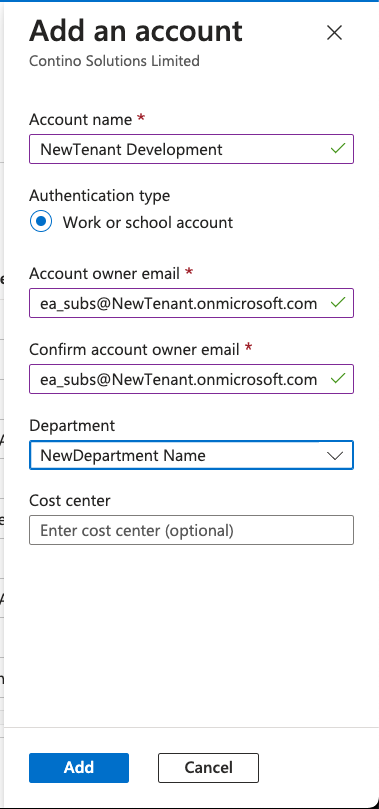 |
Logged in as the | ||||
Assign SP to Enrolment Account | | | ||
Assign Create Subscription to SP | | | ||
You can now manually create new subscriptions, located in Billing Accounts where you have been assigned in the IAM roles You can use the Service Principal in any scripting, deployment or automation that require a new subscription to access subscriptions under the new tenant will require local or guest accounts for users - and will require roles assigned |
|---|
Manually Creating Subscriptions |
|---|
Step | Portal | Docs | Image | |
|---|---|---|---|---|
As a Billing Administrator | ||||
Create a new Department (optional) | | | | |
Create a new (enrolment) Account |
| | | |
Logged in as the | ||||
Assign SP to Enrolment Account | | | ||
Assign Create Subscription to SP | | |
Programatically Creating Subscriptions |
|---|
Attachments:
 Screenshot 2023-08-13 at 21.21.10.png (image/png)
 link.png (image/png)
Screenshot 2023-08-13 at 21.20.28.png (image/png)
link.png (image/png)
Screenshot 2023-08-13 at 21.20.28.png (image/png)
 1_DIu5y3UYX7rEH1z1igvQpA.webp (image/webp)
ea-azure-relationship.png (image/png)
ea-hierarchies.png (image/png)
1_DIu5y3UYX7rEH1z1igvQpA.webp (image/webp)
ea-azure-relationship.png (image/png)
ea-hierarchies.png (image/png)