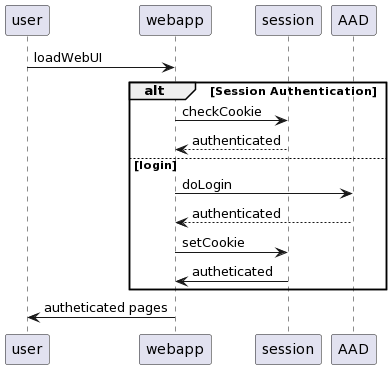
 | SummaryThe Azure EA Self Service project was approved for design and delivery via Squad 0 from an initial request to manage our internal platforms, delivery and processes for creating EA subscriptions under Azure with the lest amount of effort while ensuring high standards as well more freedom for developers to work without the risk of sharing a tenant and resoutrces with our production Azure services
The project also allowed the engineers to add value by trying out a number of toolls, techniques and processes which will lead onto more information coming out for the benefit of our peers |
|---|
 | Pre-requisitesThe solution is intended to be as easy - or as complex - as the requesting engineer wants; the WebUI providing quick and simple access - and config file via the repository for more advanced configurations and customisation The solution n ot only crosses over multiple systems and platforms - so we use a wide number of services, using multiple service principals, ea billing roles, GitHub roles, tokens, etc etc - some idea of the focus is that around 60% of engineer time has been collecting best practice, then doing spikes to check - and extensive testing of the pre-required items further information and documentation is available in Confluence - some prep tasks are summarised here as hey are covered more extensively in the build documents |
|---|
Done | Platform | Detail | Notes | |
|---|---|---|---|---|
| 1 | ||||
| 2 |
 | InstallationThe solution is an internal solution only and will be delivered into production by the engineering team that have delivered the product - however to ensure that skills transfer and supportability the engineering steps for “Engineers” will be delivered in some detail in the hope that a simple and templated style of modularly adding to the vending solution will continue Users, Accounts, Seervice Principals, Keys etc for this project should be treated likew the crown jewels. while every effort is always made to deliver securely, a risk analysis and the mitigations we have used should be discussed, risk levels agreed and cross-discipline agreement to sign off on those risks |
|---|
DONE | Description | ||
|---|---|---|---|
| 1 | login to the | ||
| 2 | create the Contino instance of the vending code from the template repository | gh api --method POST /repos/pknw1-tf/ea_subscription_vending_v2/generate \
-f owner='contino' -f name='azure-subs-vending' -F private=true
| |
| 3 | clone the remote repository locally | git clone it@github.com:contino/azure-subs-vending.git | |
| 4 | configure remote terraform state details in | vi production/backend.tf
terraform {
backend "azurerm" {
storage_account_name = ""
container_name = ""
key = "terraform.tfstate"
}
}
| |
| 5 | configure GitHub Secrets (used in | vi '../secrets.txt' ARM_CLIENT_SECRET_CONTINO="" ARM_CLIENT_SECRET_SQUAD0="" GH_ORG_TOKEN="" STORAGE_ACCOUNT_KEY="" gh secret set -f ../secrets.txt | |
| 6 |
 | CheckpointAt this stage, we should now have
at each stage of the config, we should verify manually that
test all along the deployment process - validate logins etc and the record here Apps/Clients, who created them and what maintenance they require - such as key rotation or whitelist updates |
|---|
 | Operationtext text text |
|---|
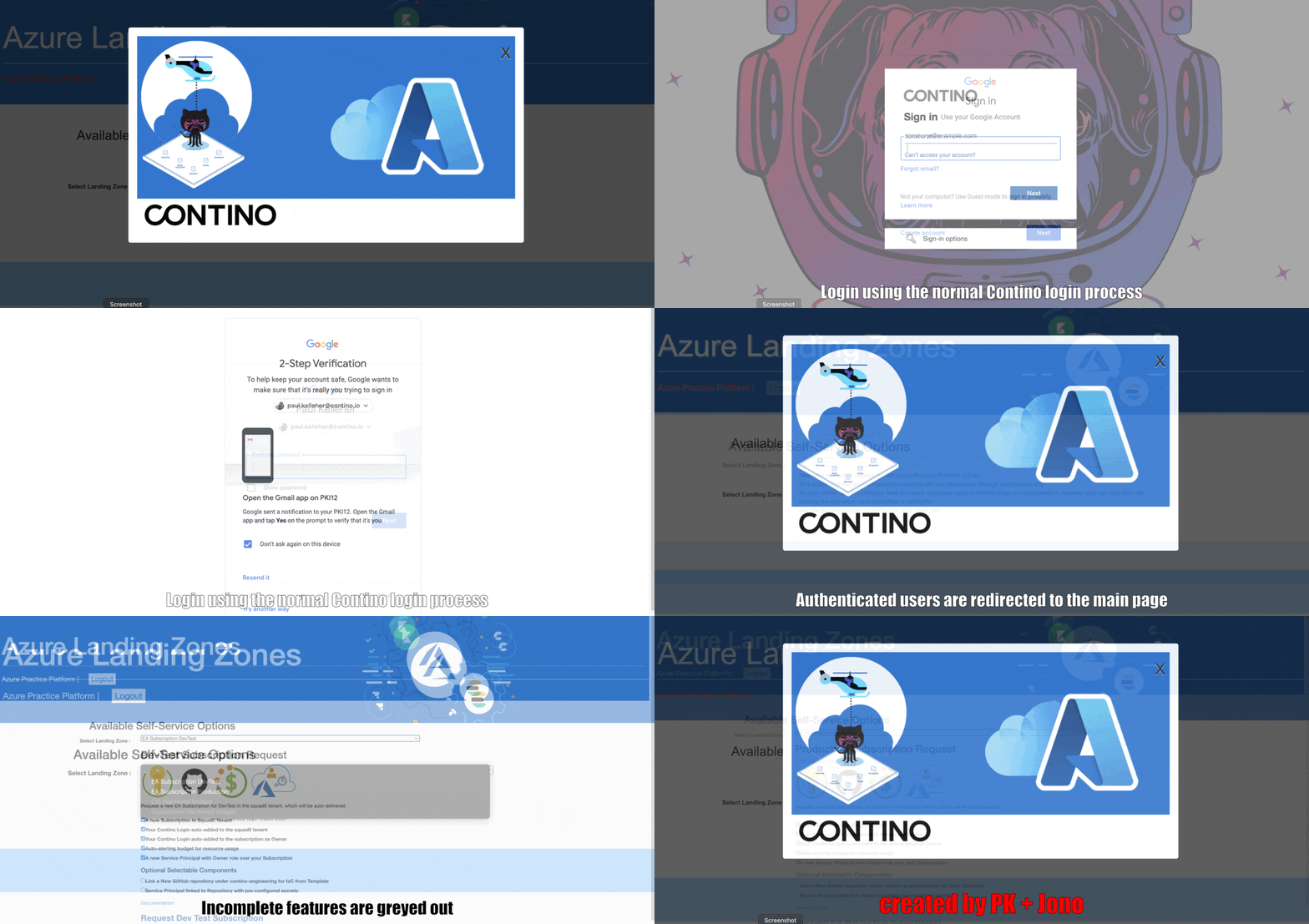
DevTest Subscriptions : WebUI using the webUI will suffice for 90% of users |
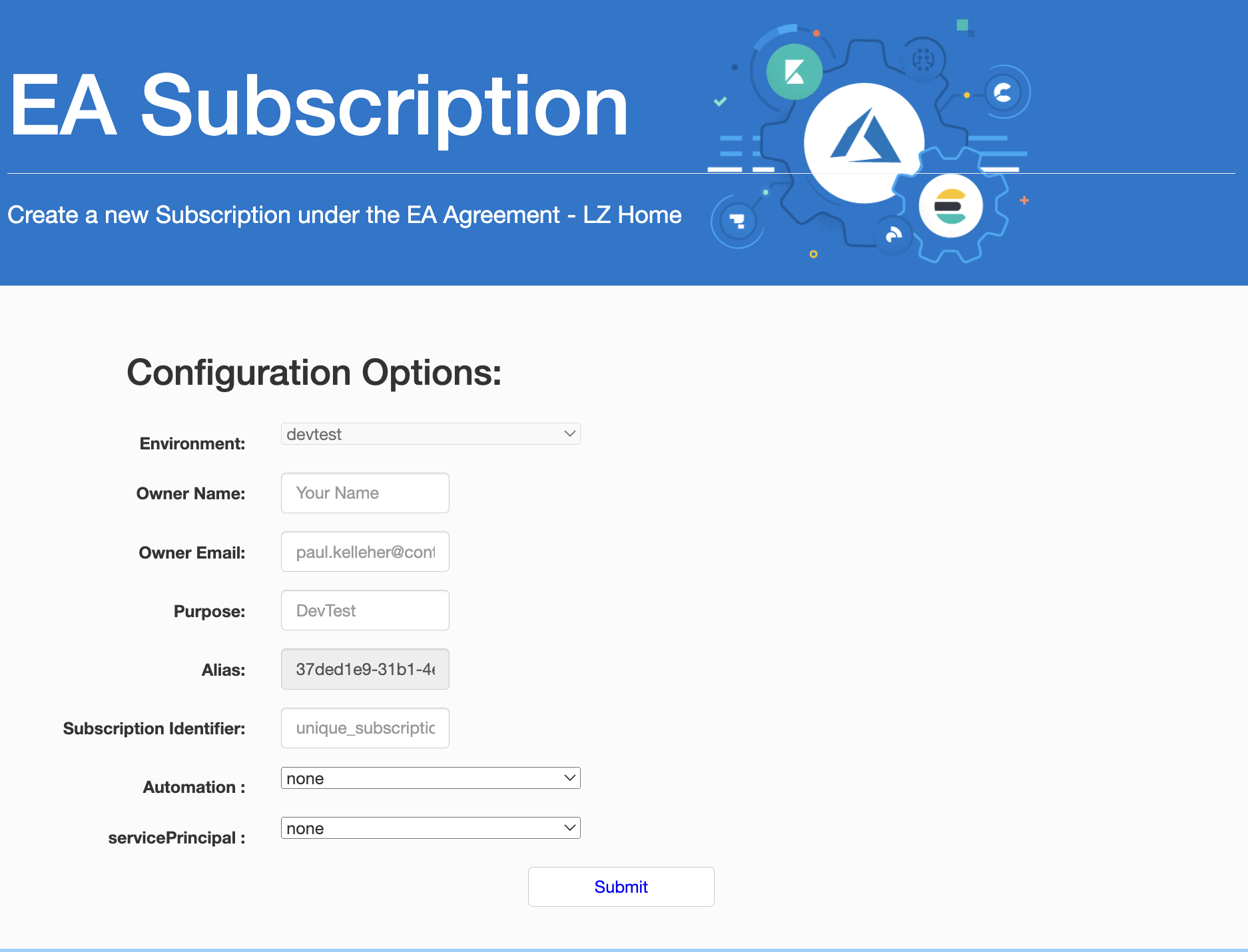
Field | Required | Notes |
|---|---|---|
Environment | required | |
Owner Name | required | |
Owner Email | required | |
Purpose | required | |
Alias | required | |
Identifier | required | |
Automation | not required | The additional (optional) automation elements are covered in more detail later in this document - the default settings do not create or link any GitHub repository, but always configures a service principal |
Service Principal | not required | |
Expiry | not required | not currently used or required |
DevTest Subscriptions : Manual Config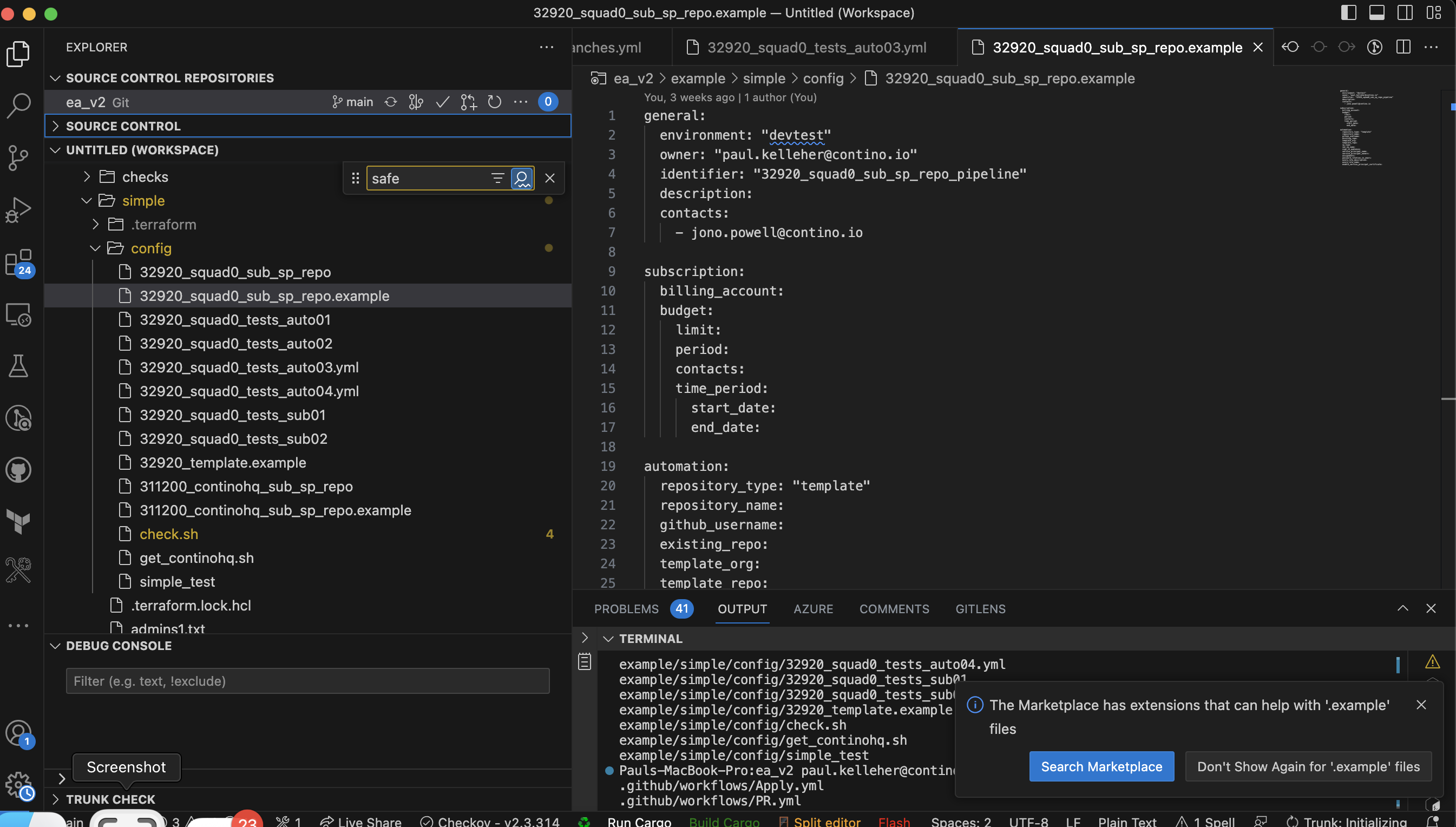 the config file solution id CLI/VSCode based but exposes many more options to customise deployment - as long as approved! |
Subscription requests can be raised by creating a valid YAML config file with your required settings and submitting them into a new branch. This process is identical to the process once a webUI form is submitted
Creating a config file
Creating the config file, it muist be YAML compliant
The config must ALWAYS include the sections and fields - all completed - as shown in the basic config
Valid | Invalid |
|---|---|
general: environment: "devtest" owner: "paul kelleher" owner_email: "paul.kelleher@contino.io" identifier: "32920_squad0_tests_simple_2" | general: environment: "devtest" owner: "" owner_email: "paul.kelleher@contino.io" identifier: "32920_squad0_tests_simple_2" |
general: environment: "devtest" owner: "paul kelleher" owner_email: "paul.kelleher@contino.io" identifier: "32920_squad0_tests_simple_2" automation: | general:
environment: "devtest"
owner: "paul kelleher"
owner_email: "paul.kelleher@contino.io"
identifier: "32920_squad0_tests_simple_2"
automation:
github_username: ""
|
general: environment: "devtest" owner: "paul kelleher" owner_email: "paul.kelleher@contino.io" identifier: "32920_squad0_tests_auto02" automation: github_username: "pknw1" repository_type: template repository_name: "32920_squad0_tests_auto02" template_org: "pknw1" template_repo: "terraform-boilerplate" | general: environment: "devtest" owner: "paul kelleher" owner_email: "paul.kelleher@contino.io" identifier: "32920_squad0_tests_auto02" automation: github_username: "pknw1" repository_type: template repository_name: "32920_squad0_tests_auto02" template_org: "pknw1" |
Submitting a config file for processing
Step | ||
|---|---|---|
| 1 | ensure you have access | |
| 2 | clone the repository | git clone https://github.com/contino/ea_subs cd ea_subs git checkout -b "myname_branch" |
| 3 | navigate to repository | |
| 4 | create a new local branch | |
| 5 | create and populate config file | vi production/config/myconfig.yml yamllint production/config/myconfig.yml |
| 6 | commit and push the file and branch | git add production git commit -m "my commit" git push -u origin myname_branch |
| 7 | check actions | navigate to the repo actions pages https://github.com/contino/repo_name/actions/workflows/push.yml 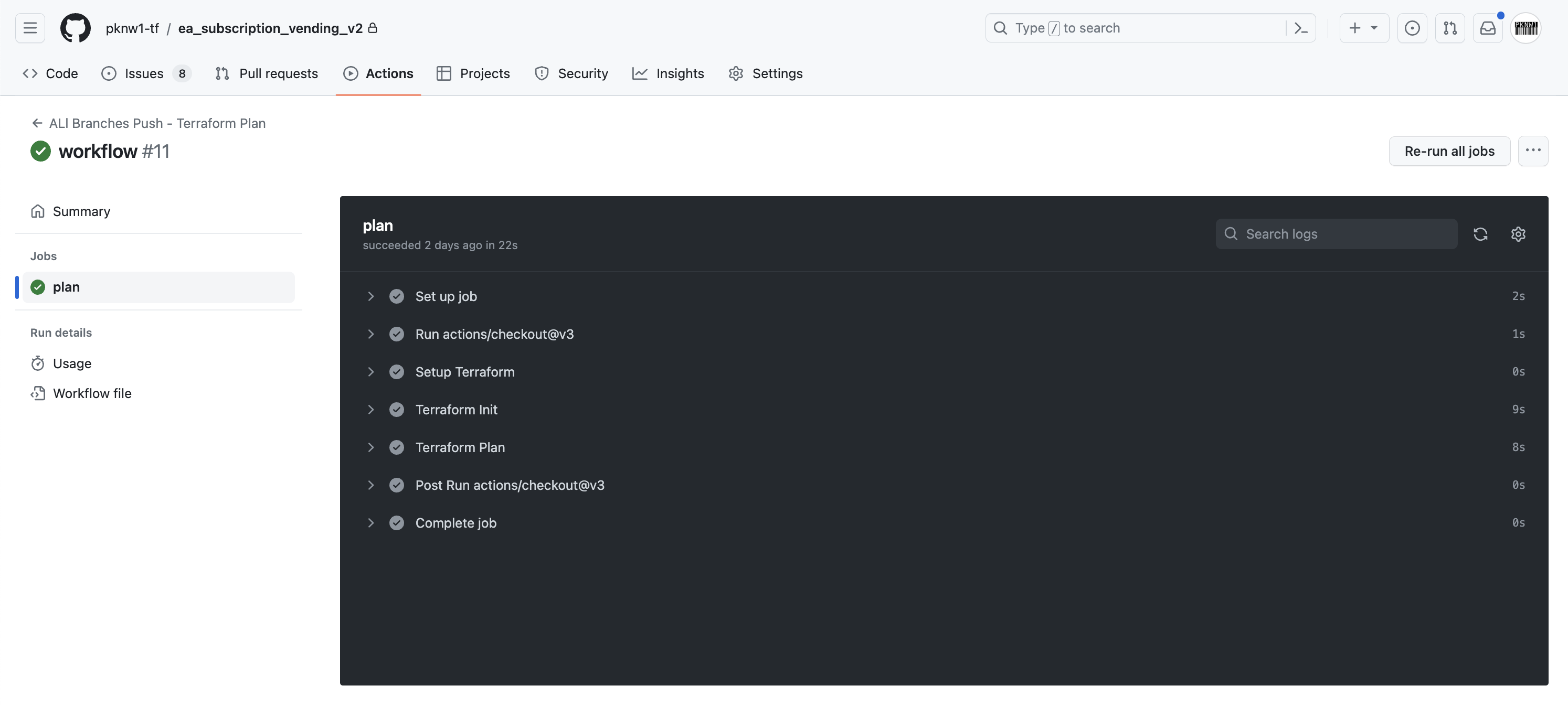 |
| 8 | create a Pull Request into Main | |
| 9 | validate Pull Request | |
| 10 | merge branch into main |
| Checkpoint |
|---|
 | Workflow |
|---|
 | Maintenance |
|---|
 | Help & References |
|---|
Section | Details |
|---|---|
Common Errors | |
WebForm Errors | |
User-Video | created with biteable.com |
Attachments:
 automation-blue.png (image/png)
 blog-banner-cloud-azure.png (image/png)
 ea_header.png (image/png)
 workflow-cropped..png (image/png)
 overview.png (image/png)
 Eo_circle_light-blue_checkmark.svg.png (image/png)
 instalaltion-cropped.png (image/png)
 user-guide.png (image/png)
 user-guide320.png (image/png)
 workflow-cropped..png (image/png)
 msain.png (image/png)
 msain.png (image/png)
 maint..png (image/png)
 user-guide320.png (image/png)
 image-20230718-204153.png (image/png)
 help.png (image/png)
annotated-cross-5mb.gif (image/gif)
help.png (image/png)
annotated-cross-5mb.gif (image/gif)
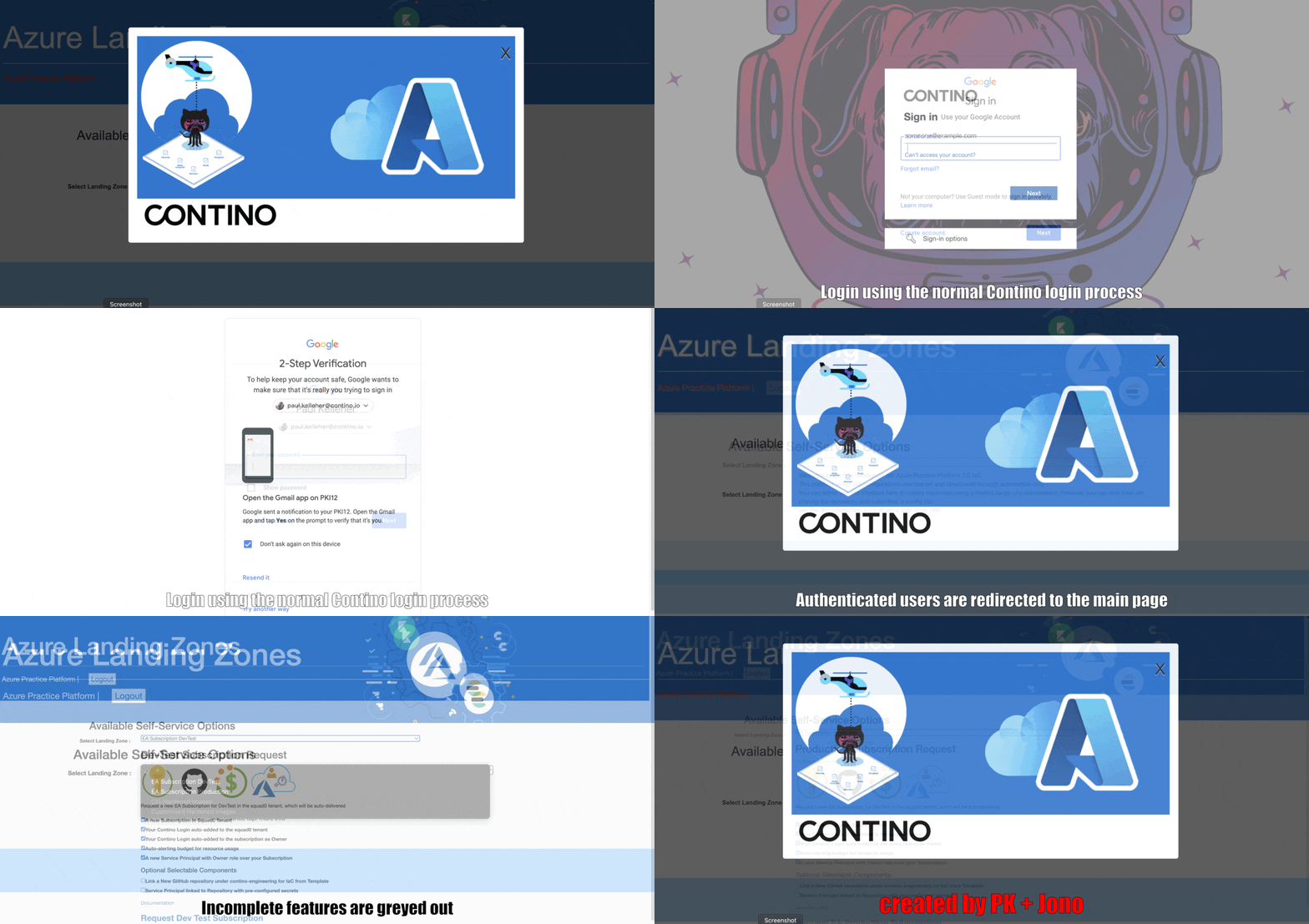 annotated-cross-5mb.gif (image/gif)
 Screenshot 2023-07-19 at 21.58.23.png (image/png)
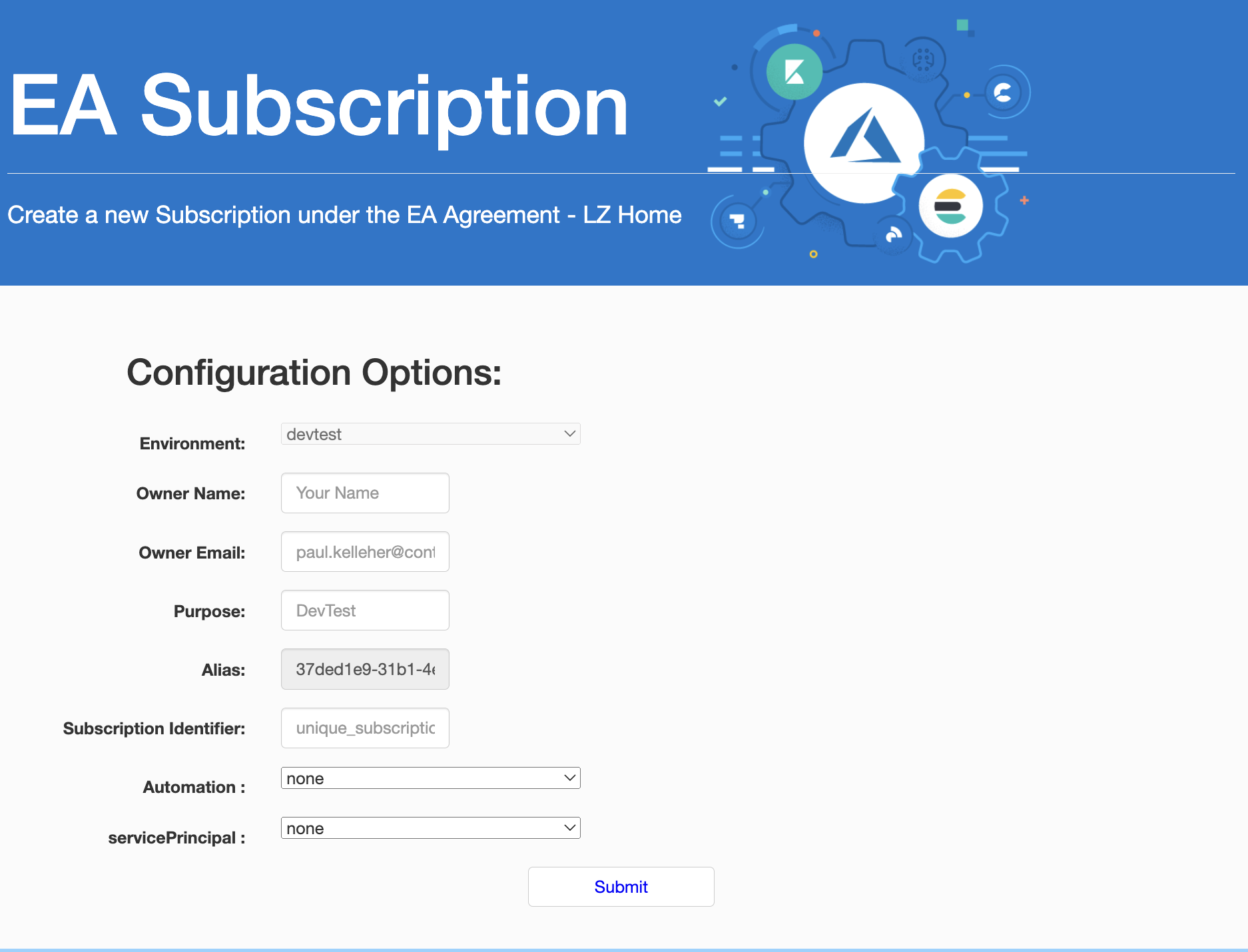 Screenshot 2023-07-19 at 21.58.23.png (image/png)
Screenshot 2023-07-19 at 22.50.33.png (image/png)
image-20230719-215356.png (image/png)
Screenshot 2023-07-19 at 21.58.23.png (image/png)
Screenshot 2023-07-19 at 22.50.33.png (image/png)
image-20230719-215356.png (image/png)
 image-20230719-215602.png (image/png)
 0_0?a=987&x=1030&y=419&w=125&h=204&store=1&accept=image%2F*&auth=LCA%209fb0f7e2c6ec7960a2f142ee49098ce8de540dd65b409a85cd248df1665dc227-ts%3D1689803833 (image/png)
0_0?a=987&x=697&y=533&w=168&h=204&store=1&accept=image%2F*&auth=LCA%208dd4f9f6aac226dc3a397895697a38f840314a7c508611f9f0fec8ddb4c8b448-ts%3D1689803833 (image/png)
0_0?a=987&x=1236&y=139&w=176&h=204&store=1&accept=image%2F*&auth=LCA%209cf106ea4e6aaf5494424d4625197754c093d03f4da646f414682f421e0457fa-ts%3D1689803833 (image/png)
Invalid file id - 52e1802e-db22-4f72-9397-22cfbafccddb (image/png)
ea1080.mov (video/quicktime)
Invalid file id - c0cfa9c6-32dd-4c30-b171-8202b4c91b86 (image/png)
ea2.mov (video/quicktime)
Invalid file id - 21c2ba54-acd9-47df-8dfa-0b5fd9193851 (image/png)
4k.mov (video/quicktime)
501a4c3d-c43a-46e2-a12a-a90767030372.png (image/png)
0_0?a=987&x=1030&y=419&w=125&h=204&store=1&accept=image%2F*&auth=LCA%209fb0f7e2c6ec7960a2f142ee49098ce8de540dd65b409a85cd248df1665dc227-ts%3D1689803833 (image/png)
0_0?a=987&x=697&y=533&w=168&h=204&store=1&accept=image%2F*&auth=LCA%208dd4f9f6aac226dc3a397895697a38f840314a7c508611f9f0fec8ddb4c8b448-ts%3D1689803833 (image/png)
0_0?a=987&x=1236&y=139&w=176&h=204&store=1&accept=image%2F*&auth=LCA%209cf106ea4e6aaf5494424d4625197754c093d03f4da646f414682f421e0457fa-ts%3D1689803833 (image/png)
Invalid file id - 52e1802e-db22-4f72-9397-22cfbafccddb (image/png)
ea1080.mov (video/quicktime)
Invalid file id - c0cfa9c6-32dd-4c30-b171-8202b4c91b86 (image/png)
ea2.mov (video/quicktime)
Invalid file id - 21c2ba54-acd9-47df-8dfa-0b5fd9193851 (image/png)
4k.mov (video/quicktime)
501a4c3d-c43a-46e2-a12a-a90767030372.png (image/png)
 az-ea-popiup.png (image/png)
Screenshot 2023-07-21 at 09.40.42.png (image/png)
image-20230806-014200.png (image/png)
az-ea-popiup.png (image/png)
Screenshot 2023-07-21 at 09.40.42.png (image/png)
image-20230806-014200.png (image/png)