Repository Setup
Initialisation takes about 5 minutes and deploys the Infrastructure to support building and deploying images
Before Running the Apply workflow, you need to update the
backend.tfandvariables.tfAdd and configure the repository secrets
ARM_SUBSCRIPTION_IDARM_TENANT_IDARM_CLIENT_SECRETARM_CLIENT_IDTF_VAR_client_secretTF_VAR_PAT
- destination resource group
- shared image gallery
- managed images from build process
- build resource group
- build vNet
- packer build subnet
- GitHub runner subnet
- GitHub Runner VM
- linuxExtension Installer
- Ansible
- Terraform
- Packer
- AZ CLI
- Docker
- GitHub Runner Storage Accounts
- NSG inbound :22
The solution requires a parent repository to manage the solution and a child repository as a template
clone the repositories and perform initial configuration
gh repo create ORG/PARENT --template pknw1-example-business/secops-infrastructure --private
gh repo create ORG/CHILD --template pknw1-example-business/secops-baseos-template --private
configure secrets in the parent repository
gh repo clone ORG/PARENT && cd PARENT
gh secret set -f ./.env
configure personalisation in parent repository
modify backend.tf

modify variables.tf
push & apply base configuration to deploy infrastructure
Adding an Image Definition
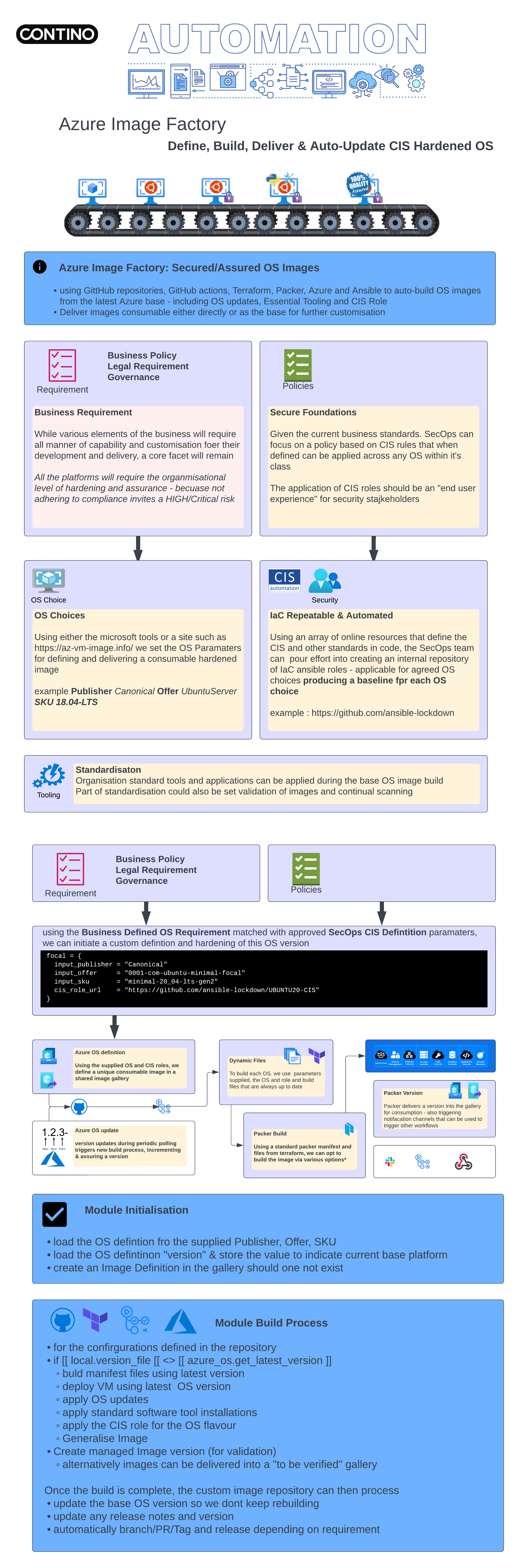
- Clone template repository
- remotely add the PARENT secrets and values to the CHILD repo
- workflow creates a
backend.tfconfigured for each iteration of the build process - terraform instinctively tries to replace image versions if we simply update the source
- the dynamic config allows the backend to provision a new state for the build as there are only build resources are deployed
- create remote
versionsfile with the source version - create
dev.tfvars - create
requirements.ymlwith hardening role - create
playlist.ymlto apply the role - build dynamic pre-populated packer manifests
01_packer_manifest-local.tf02_packer_manifest_azure_arm.tf03_packer_manifest_azure_chroot.tf- create a shred image definition in the shared image gallery
modify the
99_image_definition_configuration.tfto add a definitionupdate the cis role url
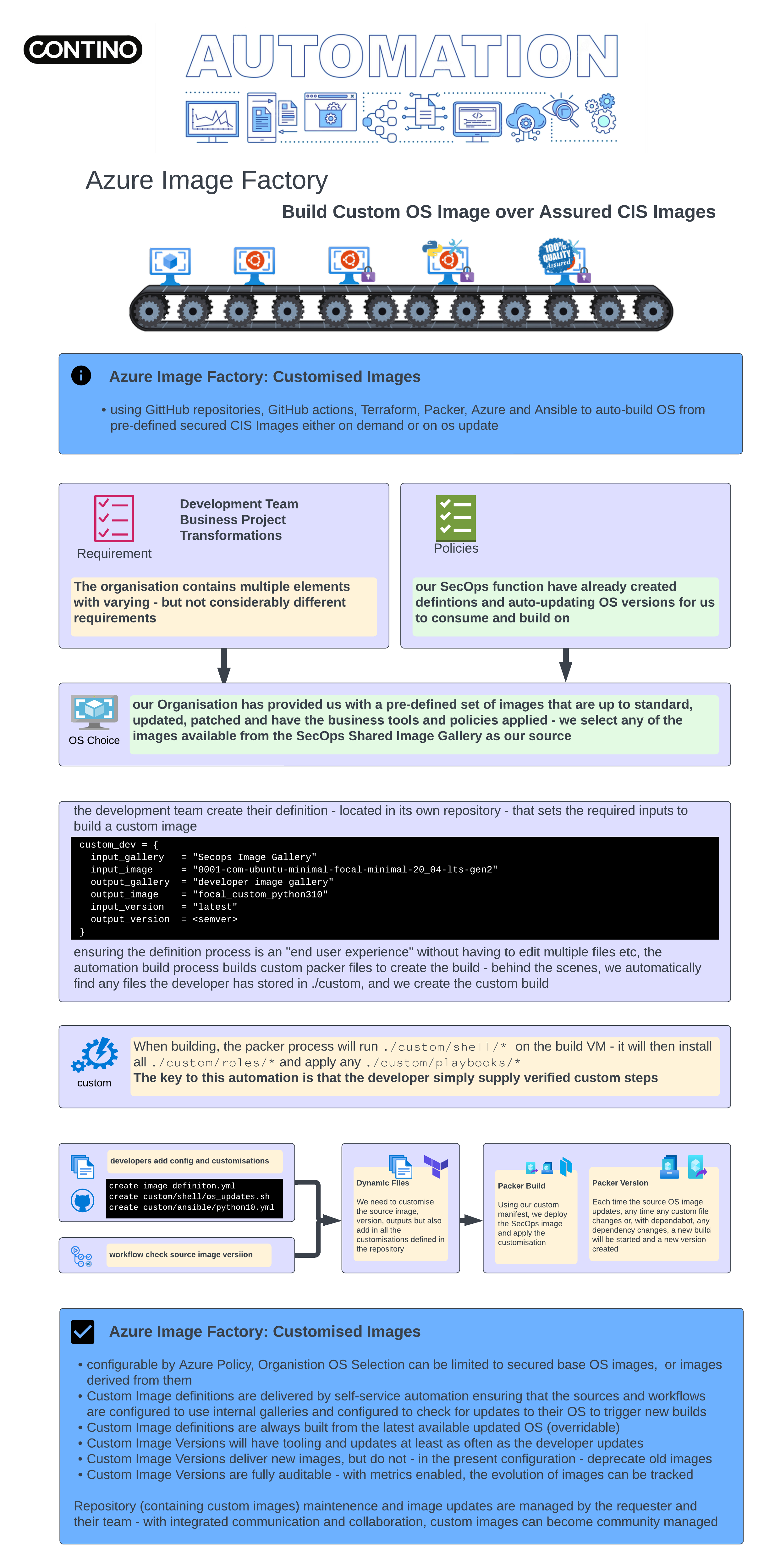
add any custom ansible playbooks & scripts
apply
Operating the OS Image Repository
- when an iupdate is applied to the source image, the update to the child repo
versionfile causes the Validate and Apply workflow to run - Create the packer manifests with
- source image
- build time resources
- a list of any user created files in /custom
- shell scrips and ansible roles are added to manifest
- basic install is followed by custom scripts running
Attachments:
 Azure Image Factory-tr.png (image/png)
 BIF Infogrphics - Secops.png (image/png)
 BIF Infogrphics - custom.png (image/png)
 BIF Infogrphics - Secops.pdf (application/pdf)
BIF Infogrphics - custom.pdf (application/pdf)
BIF Infogrphics - Secops.pdf (application/pdf)
BIF Infogrphics - custom.pdf (application/pdf)