updates via IaC azure_practice_management_iac_poc
IN PRODUCTION management subscription
- clone the repository and make updates to resources here
- PR and Merge toi apply changes
- Management Subscription, Remote State Backend
- Management Networking
- EA Subscriptions in either continohq or squad0
- Enable/Disable Budget
- Create Subscription Owner SP
- Create Subscription GH Repo with linked SP
- Vend Additional Service Principals or Users and assign roles
Changes merged into main and applied are validated and delivered into appropriate resource allocations
DevTest deliver into Squad0 Tenant
Production deliver into continoHQ Tenant
Where contino users will be automatically added and removed depending on whether they have any resources under squad0
Azure Practice2.0 is intended to be managed via IaC methods only - manually touchy at your own risk
A central management subscription and associated resources are essential for the delivery of a robust IaC platform - we provide backend resource for deployment of Landing Zones and custom application landing zones to be developed
 |
Management Subscriptionmgmt_azure_practice_automation subscription - simple EA subscription When we deliver an automated service, this common platform will maintain state and is intended to be the central point so we have a single focus point to manage engineering deployment with the following components
|
Subscription |
Control PlaneThe control plane is used by IaC resources to cohesively work together - to include management tooling and a home for automation etc
and when additional components are added, there will be resources such. as
|
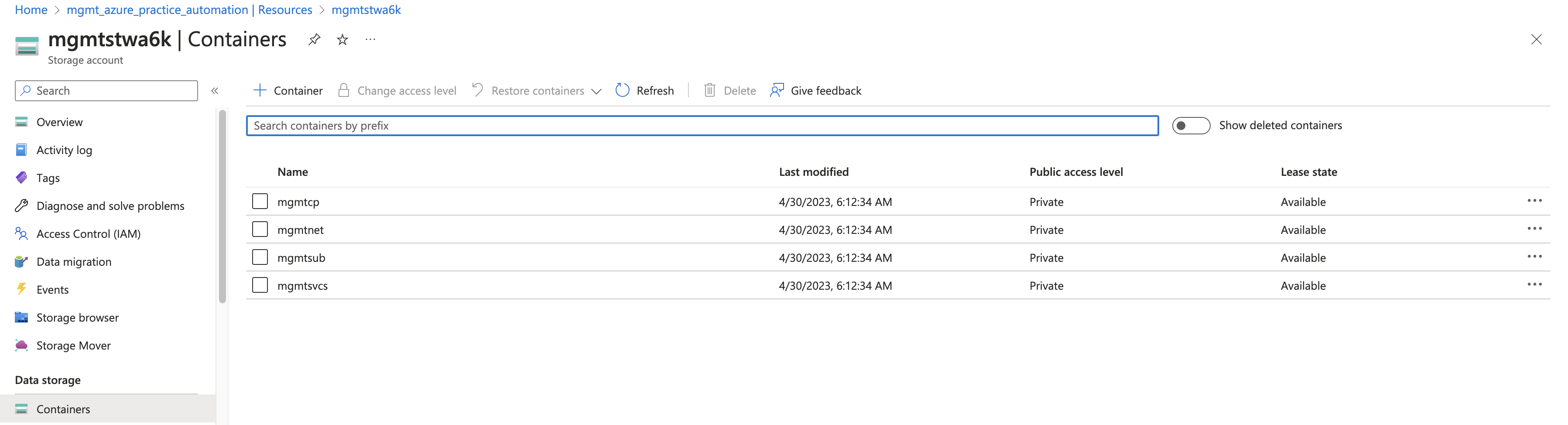
Resource Group | control_plane group containing al remote backend resources for terraform |
Storage Account | |
Storage Containers | container for each backend type |
KeyVault+ | TBC |
DeliveryDelivering the Management Subscription and Components via Terraform |
Management Subscription |
cd azure_practice_management_iac_poc/mgmtsub
terraform init
terraform apply -auto-aprove
this code will
as such this step is a standalone manual one off provider "azurerm" {
features {}
skip_provider_registration = false
storage_use_azuread = true
subscription_id = "2425180b-d8a9-491c-94f0-f6d9b4e035be"
}
|
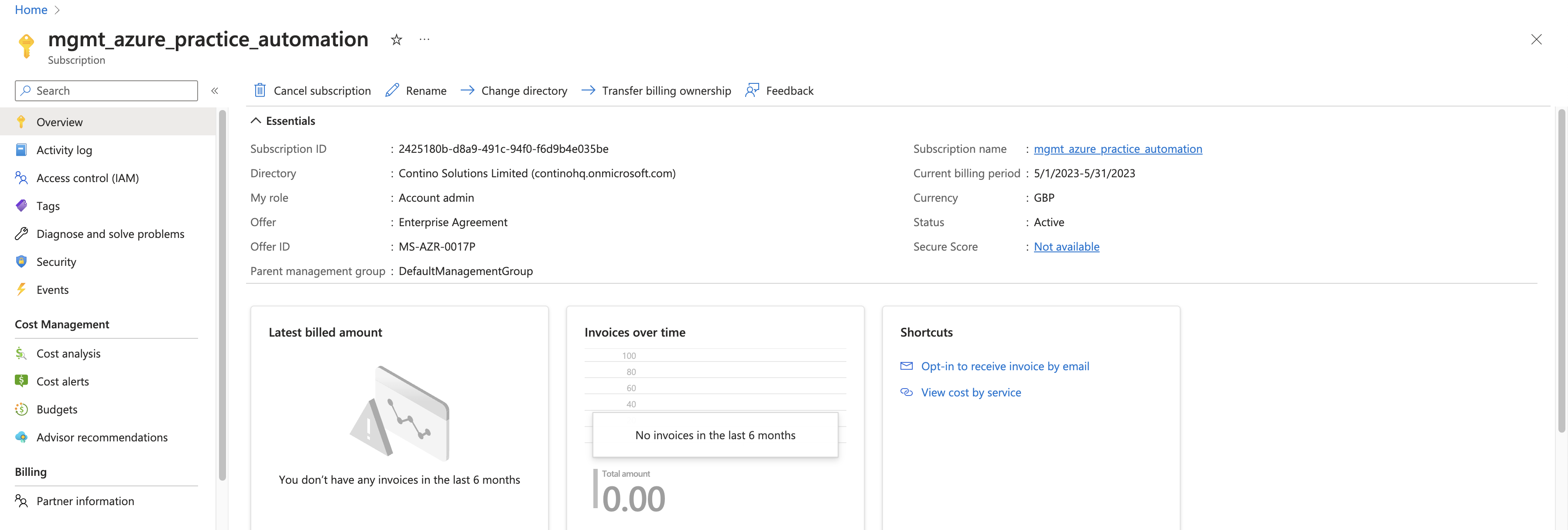
Management Control Plane |
from the initial subscription setup, this deployment will run against the n ew subscription to create resources cd azure_practice_management_iac_poc/mgmtcp terraform init terraform apply -auto-aprove this code will
terraform {
          backend "azurerm" {
            subscription_id      = "2425180b-d8a9-491c-94f0-f6d9b4e035be"
            resource_group_name  = "mgmt-rg"
            storage_account_name = "mgmtstwa6k"
            container_name       = "mgmtcp"
            key                  = "dev.tfstate"
          }
        }
|

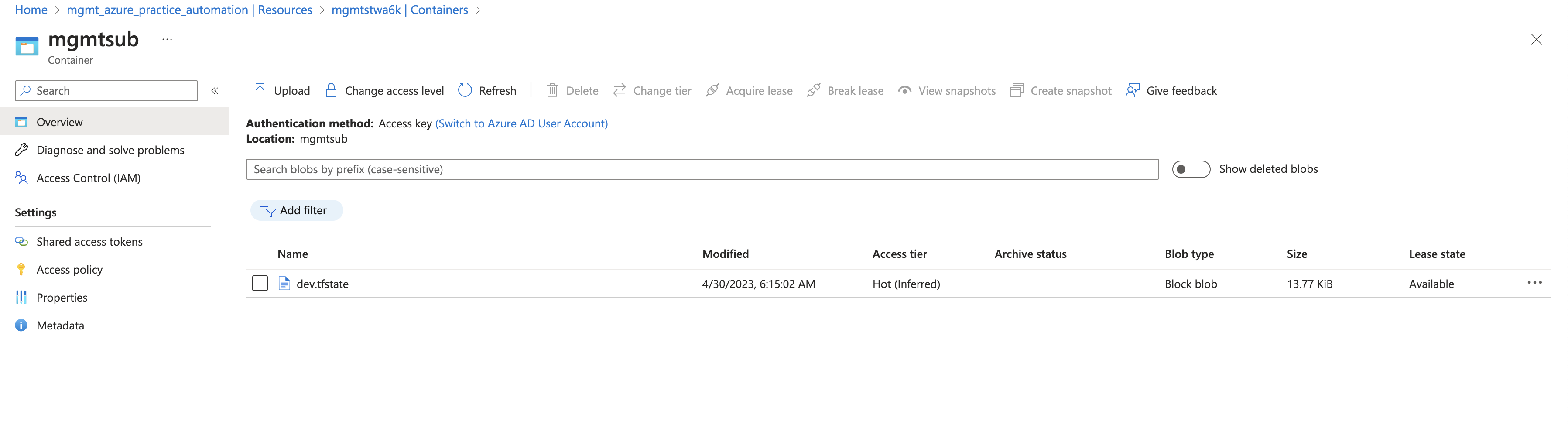
Remote Backend migration |
With the infrastructure now in place for a remote backend, and our previous stages pre-populating new backend.tf files for us, we can now re-init the backends to transfer the state up to azure |
for the initial push, the aim was to get MVP working so I had a framework for deploying Azure EA Subs via automation - so next steps will be added on priority
Attachments:
 automation-purple.png (image/png)
 automation-blue.png (image/png)
 Screenshot 2023-05-02 at 02.31.02.png (image/png)
Screenshot 2023-05-02 at 02.31.13.png (image/png)
Screenshot 2023-05-02 at 02.31.24.png (image/png)
Screenshot 2023-05-02 at 02.33.27.png (image/png)
Screenshot 2023-05-02 at 02.31.02.png (image/png)
Screenshot 2023-05-02 at 02.31.13.png (image/png)
Screenshot 2023-05-02 at 02.31.24.png (image/png)
Screenshot 2023-05-02 at 02.33.27.png (image/png)